
Short answer: what are the main process mining use cases?
Process mining is applied most often to six core operational processes: order-to-cash, procure-to-pay, accounts payable and receivable, customer service operations, IT service management and HR operations. Beyond those, it is used industry by industry: loan and onboarding workflows in banking, claims handling in insurance, freight and customs processes in logistics, multi-country standardization in shared services, client delivery in BPO and production and supply chain flows in manufacturing.
The use case that pays back fastest is rarely the one with the most steps. It is the one where the same work is repeated at volume by many people, because that is where a small percentage improvement multiplies into a measurable number.
One caveat worth stating up front, because most use case lists skip it. Classic process mining reconstructs a process from event logs, so it can only see work that an enterprise system recorded. In operations-heavy environments a large share of the cost sits in email, spreadsheets and manual handoffs between systems, which no extraction recovers because it was never logged. That is why the results below come from activity-based process intelligence deployments rather than event-log mining alone.
Key takeaways
- Volume beats complexity. The highest-return use cases are repetitive, high-frequency processes run by large teams, not the most complicated ones.
- Six named enterprises, six measured outcomes. Atos recovered 25% FTE productivity in Purchasing. SPS saved 874 hours/month in customer experience alone. Hollard saved 307 hours/month on a single insurance process. Qatar Airways GBS reached self-funded ROI in two months. Mindsprint onboarded 600+ processes. Allied Global built a 3.0x ROI engine.
- Event logs miss the work between systems. If your process runs across email, spreadsheets and screens rather than inside one ERP, event-log process mining will show you a partial map.
- Time to first insight is the number to ask for, not time to go live. That is where multi-month projects hide their cost.
- Every use case needs a business case. Knowing a process is slow is not the same as knowing what fixing it is worth. The two questions have different answers and only one of them gets funded.
How this list was built
The 12 use cases below are the applications KYP.ai encounters most often in enterprise deployments across BPO, business services, banking and insurance. The six case studies are KYP.ai customers, named with their permission, with figures taken from their own measured results rather than modeled projections.
The case studies are activity-based process intelligence deployments, not event-log process mining projects. We have kept that distinction explicit throughout, because the two approaches see different halves of the same process and conflating them is how buyers end up disappointed. Where a figure comes from a customer, the customer is named. Where we do not have a figure, we say so rather than estimating.
What process mining is, and what it needs to work
Process mining reconstructs how a business process actually ran by analyzing event logs from enterprise systems such as ERP, CRM and ticketing platforms. It replaces interviews and workshops with a map built from what the systems recorded.
It needs three data elements for every action: a case ID, an activity and a timestamp. If your systems do not record all three, the process cannot be reconstructed. That single requirement determines which use cases are viable and which are not, and it is worth checking before scoping anything. Our guide to how process mining works covers the mechanics in more detail.
Three techniques do the work. Discovery builds the map from logs. Conformance checking compares execution against the intended model. Enhancement identifies bottlenecks and root causes.
Six core operational process mining use cases
These are the processes that appear in almost every enterprise, run at volume, and generate the event data process mining needs.
| Use case | What it reveals | Typical trigger for the project |
|---|---|---|
| Order-to-cash (O2C) | Root causes of late shipments, blocked orders, credit holds and high return rates across the full sales cycle | Days sales outstanding rising with no obvious cause |
| Procure-to-pay (P2P) | Approval delays, duplicate invoice payments and maverick buying outside preferred vendor agreements | Missed early payment discounts, or a supplier relationship under strain |
| Accounts payable and receivable | Manual data entry rework loops, exception handling volumes and invoice bottlenecks slowing cash flow | An automation business case that needs evidence before funding |
| Customer service operations | Handle time variation between agents, repeat contacts and the steps that consume time without resolving anything | Service levels missed while headcount is already at budget |
| IT service management | Ticket bounce rates between teams, reassignment loops and the specific steps causing SLA breaches | Resolution times drifting above the industry norm |
| HR operations and onboarding | Time to productive onboarding, approval chains and duplicated administrative effort across locations | A shared services consolidation, or an onboarding backlog |
Two of these are documented in more depth on our finance process use case page and IT support use case page.
Six industry-specific process mining use cases
| Industry | Where it is applied | What good looks like |
|---|---|---|
| Banking and financial services | Loan application approval, customer onboarding, KYC and AML review queues | Shorter approval cycles without adding reviewers |
| Insurance | Claims registration, assessment, settlement and the handoffs between them | Hours removed from a single high-volume claims process |
| Logistics and freight forwarding | Shipment booking, customs documentation and exception handling across borders | Fewer manual interventions per shipment |
| Aviation and global business services | Multi-country process standardization across finance, procurement and HR | One process running the same way in every country |
| Business process outsourcing | Client delivery workflows, agent utilization and contract-level margin analysis | Quantified efficiency gains that can be shown to the client |
| Manufacturing and supply chain | Production line handoffs, equipment idle time, material shortages and planning cycles | Idle time located and attributed rather than estimated |
What process mining cannot see
This is the section most use case lists leave out, and it determines whether the use case you pick will actually deliver.
Event logs are complete for work that executes inside enterprise systems and silent about everything else. They did not record the analyst who exported a report to Excel, reconciled it by hand and emailed the result to three colleagues. They did not record the 40 minutes spent finding the right screen. In operations-heavy environments that invisible work is often where most of the recoverable cost sits.
The practical consequence: if your process runs end to end inside one ERP, event-log process mining will map it well. If your process runs across screens, applications, email and spreadsheets, you will get a map with holes in it, and the automation business case you build on that map will be wrong in roughly the same proportion.
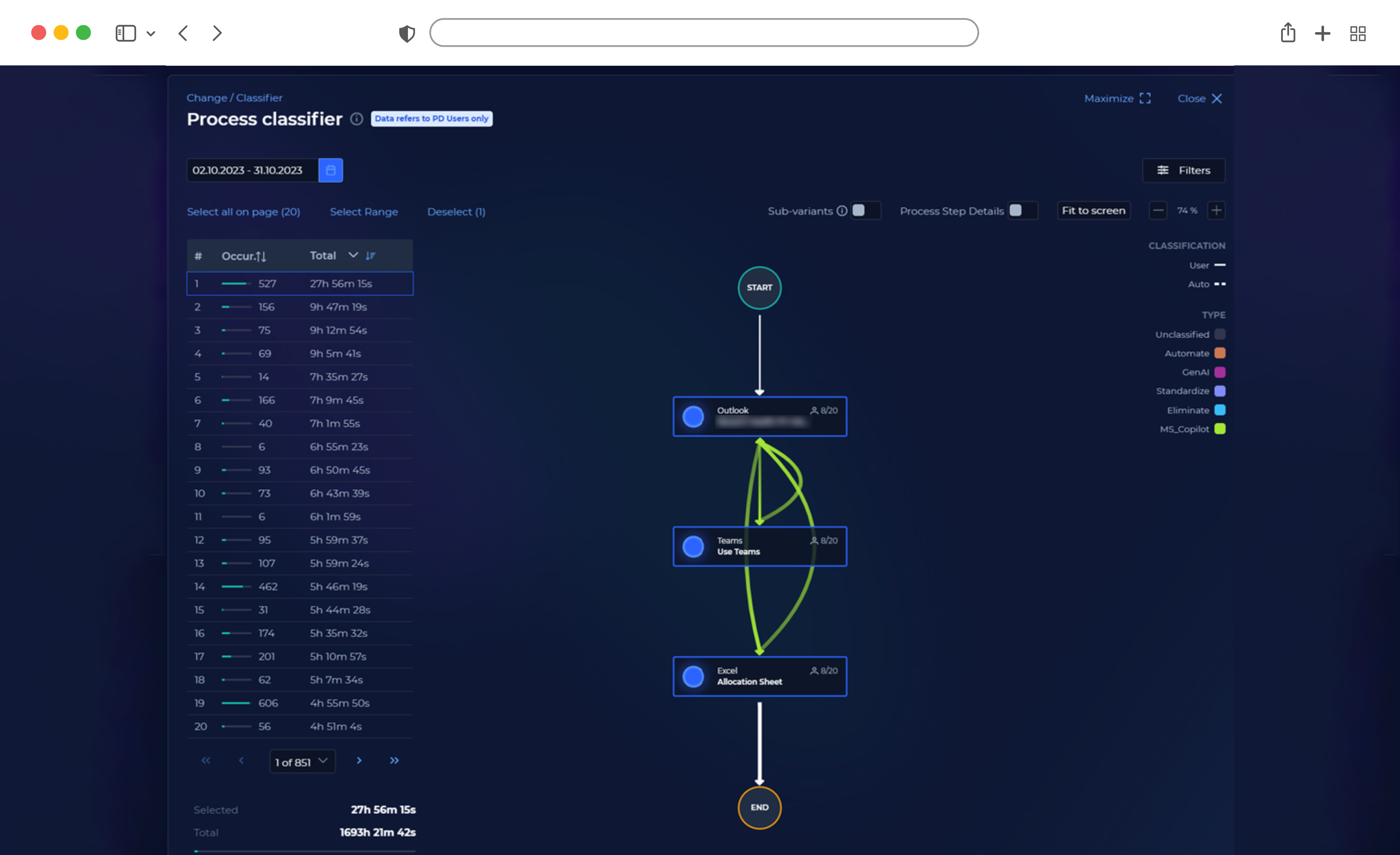
That gap is why the category has moved toward activity-based process intelligence, which starts from observed desktop activity rather than system logs. The six results below come from that approach.
Six named enterprise results
Each entry uses the same five fields so you can compare them directly.
Atos: 25% FTE productivity improvement in purchasing
- Sector and scale: Global IT services. Deployed as Client Zero across all business functions.
- The problem: An automation program that needed defensible evidence before investment, not after.
- What they measured: Purchasing productivity, automation potential across the estate, and use case volume.
- Result: 25% FTE productivity improvement in Purchasing, 56% automation potential identified, and 400+ use cases surfaced across all business functions using a See, Shape, Scale framework.
- Time to value: Evidence available before the investment decision rather than after deployment.
“Visibility made ROI defensible. ROI gave us investment discipline.” Pete Evans, Atos
SPS: 874 hours/month recovered in customer experience
- Sector and scale: Business process outsourcing and document management. 8,500 employees across 20 countries.
- The problem: Administrative alignment work consuming capacity that should have been client-facing, across four functions and 20 countries.
- What they measured: Hours recoverable per function per month, and productive capacity.
- Result: 874 hours/month in customer experience, 599 hours/month in finance, 543 hours/month in supply chain management and 496 hours/month in HR. Administrative alignment work fell by more than 50% and productive capacity improved 25%.
- Time to value: Function-level figures available within the first measurement cycle.
This is the clearest illustration of the volume principle. Four functions, one method, and the largest number came from the function with the most repetition rather than the most complexity.
Hollard: 307 hours/month saved on one insurance process
- Sector and scale: Insurance.
- The problem: No reliable view of when and where claims work was actually being completed.
- What they measured: Hours consumed by a single high-volume process, and overall productivity.
- Result: 307 hours/month saved on that one process, and a 20% productivity increase.
- Time to value: Scheduling changes made on the basis of observed patterns rather than assumption.
“We’ve been able to see where people are most productive, what times of the week they are most productive, and we have adjusted the work schedule.” Kyle McWilliam, Hollard
Worth noting what the outcome actually was. Hollard did not automate the process away. They moved the work to when their people were most effective at it. Not every use case ends in automation.
Qatar Airways GBS: self-funded ROI in two months
- Sector and scale: Aviation global business services. 200 practitioners across 12 countries.
- The problem: Standardizing finance, procurement and HR processes across 12 countries inside a $100M targeted benefits program.
- What they measured: Time to self-funded ROI, digital presence, and process standardization coverage.
- Result: Self-funded ROI in two months against an 18 to 24 month industry norm. Digital presence rose from under 50% to over 84%. Four methodologies embedded across 200 practitioners.
- Time to value: Two months to self-funding.
“Process intelligence shows you the truth. AI helps you act on it. Finance helps you fund it.” John Adamek, Qatar Airways
Mindsprint: 600+ processes onboarded
- Sector and scale: Technology and business services. 1,200+ employees.
- The problem: Value stream mapping 600+ processes by hand was arithmetically impossible.
- What they measured: Processes onboarded, and the manual effort displaced.
- Result: 600+ processes onboarded across 1,200+ employees, compressing what would have been years of manual analysis into real time.
- Time to value: Continuous, replacing a periodic manual exercise.
“Performing value stream mapping manually for all those processes with a team of 5 people would approximately take me 15 years.” Krishna Ramkrishnan, Mindsprint
Allied Global: 3.0x ROI with value inside 90 days
- Sector and scale: Business process outsourcing. 5,999 employees.
- The problem: Competing on operational efficiency in client RFPs, with margin under pressure and no hard data behind the claims.
- What they measured: Return per dollar invested, hours recovered annually, and FTE impact per client account.
- Result: 3.0x ROI, three dollars returned for every one invested. 10,000 to 15,000 hours recovered annually, roughly 20 FTE savings per client account, and a 15% productivity increase. Payback in under five months.
- Time to value: Measurable value inside 90 days.
“We didn’t buy analytics, we built an operating system for execution.” Cesar Arevalo, Allied Global
They made the calls. KYP.ai gave them the data.
Which use case should you start with?
Work backward from the constraint rather than forward from the tool.
| Your situation | Start here | Why |
|---|---|---|
| Cash flow is the board-level issue | Procure-to-pay or accounts payable | Duplicate payments and missed discounts are quantifiable in currency on day one |
| Service levels slipping with headcount at budget | Customer service operations | Handle time variation between agents is usually the largest single recoverable pool |
| An automation program that keeps stalling at business case | Whichever process has the most people doing the same thing | You need a defensible number before funding, which is the Atos pattern |
| Multiple countries running the same process differently | Multi-country standardization | The gap between locations is the opportunity, and it only shows up when you can compare them |
| You are a BPO competing on efficiency in RFPs | Client delivery workflows | Efficiency you can evidence to a client is worth more than efficiency you can only claim |
| Work spans many disconnected applications | Any of them, but not with event-log mining alone | Logs will not contain the desktop work, so the map will be incomplete |
How to measure a process mining use case
Four numbers, agreed before you start, prevent most disappointments:
- Baseline hours per case. How long the process takes today, measured rather than estimated. Without this, no improvement can be proved.
- Volume per month. Hours saved per case matter only when multiplied by frequency. This is the number that separates an interesting finding from a funded project.
- Time to first actionable insight. Ask every vendor for this rather than time to go live. Statistically relevant insights in three weeks is a very different proposition from a map in six months.
- The value of fixing it. Expected return, implementation cost and timeframe, per opportunity. A list of bottlenecks without this is a diagnosis without a prescription.
Where KYP.ai fits
KYP.ai is a process intelligence platform built on three pillars: a 360 Enterprise View capturing real-time data across your people, processes and technology; a Business Transformation Engine that quantifies inefficiencies and calculates automation ROI; and an Agentic AI Enabler generating ready-to-execute agent code with structured business context.
For the use cases above, three things matter in practice.
It captures the work event logs miss. KYP.ai starts from observed desktop activity across Windows, macOS, Citrix and VDI environments, so the map includes the email, spreadsheet and cross-application steps that never reached a system log. The agent runs at under 2% CPU and has been deployed across more than 10,000 concurrent workstations.
It attaches a number to every opportunity. Knowing a process is slow and knowing what fixing it is worth are different questions. KYP.ai distinguishes what can be automated technically from what should be automated by business value, which is what turned Atos’s visibility into investment discipline.
It is privacy-by-design. Sensitive data is anonymized at source, on the workstation, before it leaves the device. Granular configuration lets you define exactly what is and is not captured. GDPR, SOC 2 Type II and ISO 27001.
Deployment runs to a four-stage model: setup in minutes, live in days, statistically relevant insights in three weeks, measurable returns in 90 days.
If you are evaluating platforms rather than use cases, our process mining software comparison covers the vendor landscape, and the process discovery handbook covers how to scope a first project.
The bottom line
Five things to take from this:
- The best first use case is the one with the most repetition, not the most complexity.
- Ask what your systems actually record before scoping. No case ID, activity and timestamp means no reconstruction.
- Event logs will not contain the desktop work, and in operations-heavy environments that is often where the recoverable cost is.
- Name a baseline and a volume before you start, or you will not be able to prove the improvement.
- Every opportunity needs a number attached. Atos, SPS, Hollard, Qatar Airways, Mindsprint and Allied Global all measured before they invested.
See how your work actually runs, across every desktop and application, in days rather than quarters. Book a demo or calculate your expected ROI.
Frequently asked questions
What are the most common process mining use cases?
The most common process mining use cases are order-to-cash, procure-to-pay, accounts payable and receivable, customer service operations, IT service management and HR operations. Industry-specific applications include loan approval and customer onboarding in banking, claims handling in insurance, freight and customs processes in logistics, multi-country standardization in shared services and production flow analysis in manufacturing.
Which process mining use case delivers the fastest ROI?
The fastest return usually comes from a high-volume repetitive process run by a large team rather than the most complex process in the business, because a small percentage improvement multiplied by high frequency produces a larger number than a large improvement to something that happens rarely. SPS recovered 874 hours/month in customer experience, its highest-repetition function. Allied Global reached 3.0x ROI with measurable value inside 90 days.
What is a real example of process mining in practice?
Hollard, an insurance group, used process intelligence to identify 307 hours/month consumed by a single high-volume process and recorded a 20% productivity increase. Rather than automating the process away, they used the observed activity patterns to move the work to the times their teams completed it most effectively. Qatar Airways GBS standardized processes across 12 countries and reached self-funded ROI in two months against an 18 to 24 month industry norm.
What is the difference between process mining and task mining use cases?
Process mining reconstructs end-to-end process flows from system event logs, so it suits use cases that run inside ERP, CRM or ticketing platforms. Task mining captures desktop activity, application interactions and time per task, so it suits use cases where the cost sits in manual work between systems. Most operational use cases need both, because a system-level bottleneck usually has its root cause in the desktop work happening between transactions.
When does process mining not work?
Process mining requires a case ID, an activity and a timestamp for every action. If your systems do not record all three, the process cannot be reconstructed from logs. It also cannot see work performed outside enterprise systems, including email, spreadsheets, manual reconciliation and cross-application handoffs. For processes that run largely outside a single system of record, activity-based process intelligence produces a more complete picture.
How long does a process mining project take to deliver results?
Time to first actionable insight ranges by more than an order of magnitude depending on approach. Enterprise event-log implementations typically require a data engineering phase measured in months. Activity-based platforms deploy without that phase. KYP.ai reaches statistically relevant insights in three weeks and measurable returns in 90 days. Ask any vendor for time to first insight rather than time to go live.
Get your process intelligence with the ROI attached - Book a demo!
Book Demo

 Wojciech Zytkowiak-Wenzel
 Szymon Kozak

 Adam Bujak
 Felix Haeser




 Mariusz Mroz